

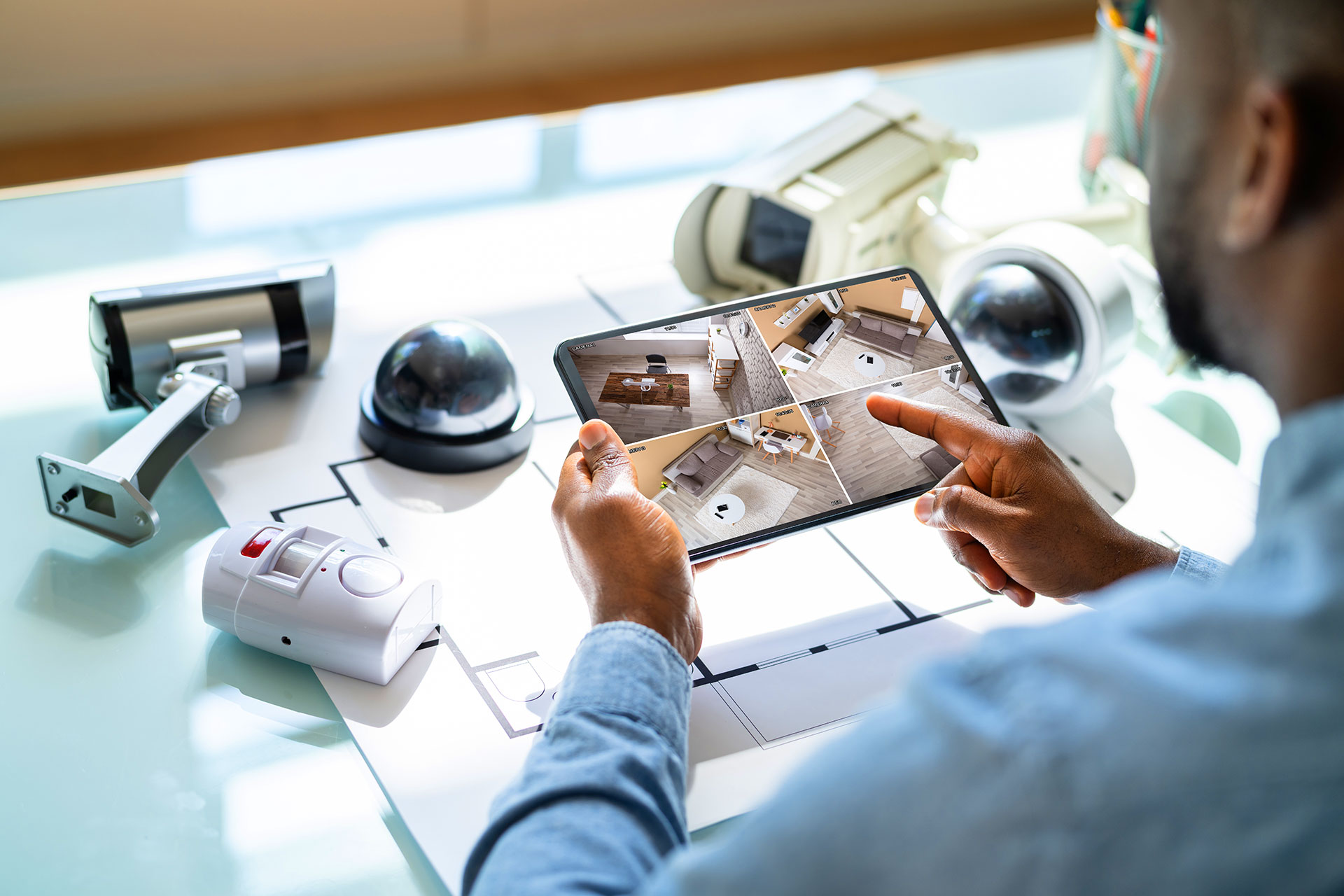
Most people assume home security means expensive systems, complicated wiring, and a professional installer. But what if the smartest move you could make today costs less than a dinner out and plugs straight into a standard outlet? Plug in security cameras are quietly changing how homeowners and renters protect their spaces, and the results are genuinely impressive. Here is everything you need to know before you buy.
What is a plug in security camera?
A plug in security camera is a surveillance device that draws power directly from a standard electrical outlet, eliminating the need for battery changes or complex wiring. Most models offer Wi-Fi connectivity, motion detection, night vision, and cloud or local storage, making them a fast, affordable security solution for homes and businesses.
Why Plug In Security Cameras Are Winning the Home Security Debate
Battery-powered cameras run out of juice. Wired systems require drilling and professional installation. Plug in cameras hit the sweet spot between convenience and reliability. They stay powered around the clock without any ongoing maintenance headaches.
Renters love them because installation is non-destructive. Homeowners love them because they can be repositioned without calling a contractor. And everyone loves how quickly they get up and running, often in under ten minutes.
Always On Power
No battery swaps, no gaps in coverage. Your camera records as long as the outlet is live, giving you uninterrupted surveillance day and night.
Quick Setup
Plug it in, connect to Wi-Fi, and download the app. Most users are live and monitoring within minutes, no tools required.
Flexible Placement
Move it from room to room or take it to a new address entirely. Outlet-powered cameras adapt to your life rather than the other way around.
Indoor vs Outdoor Plug In Security Cameras
Not all plug in cameras are built for the same environment. Choosing the wrong one for your space is one of the most common mistakes buyers make. Here is a clear breakdown of what each type offers.
Indoor Plug In Cameras
Indoor models are typically compact and designed to blend into living spaces. They monitor nurseries, living rooms, home offices, and entry points from inside the home. Key features to look for include:
- Wide-angle lens (at least 130 degrees for room coverage)
- Two-way audio for real-time communication
- Privacy mode or physical lens cover
- Smart home integration (Alexa, Google Home, Apple HomeKit)
- Local storage via microSD card
Outdoor Plug In Cameras
Outdoor plug in security cameras need to handle rain, wind, dust, and temperature swings. Always check for a weatherproof rating before purchasing an outdoor model. Look for:
- IP65 or higher weatherproof rating
- Color night vision or infrared night vision
- Spotlight or siren for active deterrence
- Wide dynamic range (WDR) for high-contrast lighting
- Heavy-gauge power cord rated for outdoor use
Pro Tip: If you are running a power cable through a wall or window gap to reach an outdoor outlet, always use a weatherproof cable pass-through cover. This small detail protects your home from moisture intrusion and improves the overall look of the installation.
Key Features to Look For in a Plug In Security Camera
The market is flooded with options at every price point. Knowing which features actually matter versus which ones are marketing fluff will save you money and frustration.
Resolution and Image Quality
A minimum of 1080p Full HD resolution is the baseline in this category now. Many cameras offer 2K or 4K resolution, which becomes especially useful when you need to zoom in to identify a face or license plate. Higher resolution does consume more storage, so factor that into your plan.
Field of View
A wider field of view means fewer cameras needed to cover a space. Look for cameras with at least a 130-degree horizontal field of view for indoor use. Outdoor cameras covering a driveway or large yard benefit from pan-tilt-zoom (PTZ) functionality, allowing you to adjust the angle remotely.
Motion Detection and Smart Alerts
Basic motion detection triggers on anything that moves, including swaying trees or passing headlights. Smarter cameras use AI-based person detection to filter out false alarms. Some premium models can differentiate between a person, a vehicle, a pet, and even a package left at your door.
Night Vision Quality
Standard infrared night vision renders footage in black and white. Color night vision, which uses ambient or supplemental lighting, provides richer detail that makes identifying clothing colors and vehicle paint possible. If security is your primary concern, color night vision is worth the upgrade.
Storage Options
You generally have three storage paths with plug in cameras:
- Cloud storage – Footage is stored remotely on the manufacturer’s servers, often requiring a subscription fee
- Local microSD storage – Footage is stored directly on the camera, no subscription needed but physical access risk exists
- NVR or NAS storage – Footage is sent to a local network video recorder or network-attached storage device for home-based control
Many buyers opt for a hybrid approach, using both local and cloud storage so they have a backup if someone tampers with the camera.
Best Placement Strategies for Plug In Security Cameras
Even the most advanced camera is useless if positioned poorly. Strategic placement turns a basic setup into a complete security system without buying more hardware than you need.
Front Door and Entry Points
Studies consistently show that the front door is the most common entry point for break-ins. A camera positioned at head height (around 7 to 9 feet) captures clear facial images without being easily tampered with. Angle it slightly downward toward the door mat and porch area.
Garage and Driveway
Garages are frequently targeted because they often hold vehicles, tools, and sports equipment. A plug in security camera mounted above the garage door with a wide-angle lens captures the entire driveway and street approach. This pairs naturally with awareness of what is happening around your vehicle. In the same way that drivers increasingly rely on a back up dash camera to eliminate blind spots and capture incidents near their vehicle, a well-placed driveway security camera closes the gap between what your indoor system misses and what happens in your outdoor spaces.
Backyard and Side Gates
Side gates and back yards are blind spots for most basic security setups. Position a weatherproof outdoor plug in camera to cover the gate latch specifically, since this is the first point of contact for anyone attempting access. Motion-activated lighting paired with your camera dramatically increases deterrence.
Interior Hallways and Stairwells
Positioning a camera in a central hallway or at the top of a staircase creates a chokepoint view that covers multiple rooms with a single device. This is one of the most cost-efficient placements in a home security strategy.
Privacy Considerations You Cannot Ignore
Plug in security cameras are powerful tools, and that power comes with responsibility. Understanding the legal and ethical boundaries protects you from liability and maintains trust with neighbors and household members.
Legal Recording Boundaries
In most regions, you are legally permitted to record video on your own property. However, recording audio in some jurisdictions requires the consent of all parties being recorded. Always check your local laws before enabling two-way audio or continuous recording features.
Neighbor Relations
Position outdoor cameras to capture your own property, not your neighbor’s yard, windows, or interior spaces. A camera that inadvertently or deliberately captures a neighbor’s private area can result in legal disputes or civil liability.
Data Security
Your camera footage is only as secure as your home network and the manufacturer’s cloud infrastructure. Use these best practices to lock down your setup:
- Use a strong, unique password for both your Wi-Fi and camera app account
- Enable two-factor authentication (2FA) wherever available
- Keep camera firmware updated to patch known vulnerabilities
- Place cameras on a separate IoT network segment if your router supports VLANs
Top Plug In Security Camera Brands Worth Considering
The field is competitive, and several brands have established genuine reputations for reliability, image quality, and app performance. Here is a quick overview of the landscape:
Arlo
Arlo produces premium cameras known for excellent image quality and a polished app experience. Their plug-in models offer 4K resolution, color night vision, and robust smart detection. Cloud storage requires a subscription, but the quality justifies the cost for many users.
Wyze
Wyze cameras are arguably the best value in the entire category. Their indoor plug in cameras deliver solid 1080p footage, two-way audio, and reliable motion detection at a price point that makes outfitting an entire home affordable.
Ring
Ring dominates the doorbell camera segment but also offers a compelling range of indoor and outdoor plug in cameras. Deep integration with Amazon Alexa and a large user community make Ring a dependable choice for Amazon ecosystem households.
Google Nest
Nest cameras offer tight integration with Google Home and Google Assistant. Their wired indoor and outdoor cameras deliver outstanding night vision performance and intelligent alert categorization. Ideal for existing Google smart home setups.
Reolink
Reolink occupies the middle ground between budget and premium. Their cameras consistently offer high resolution, solid night vision, and local storage options without mandatory subscription fees. A strong choice for privacy-conscious buyers who prefer on-device storage.
How to Set Up a Plug In Security Camera
The setup process is genuinely simple with most modern plug in cameras. Here is the standard sequence:
- Choose your location before unboxing, considering power outlet proximity and Wi-Fi signal strength
- Download the manufacturer’s app on your smartphone before powering the camera on
- Create or log in to your account and enable two-factor authentication immediately
- Plug in the camera and wait for the indicator light to signal it is ready to pair
- Follow the in-app pairing process, typically involving scanning a QR code on the camera
- Connect to your 2.4GHz or 5GHz Wi-Fi network (most cameras support 2.4GHz only, so verify before purchasing)
- Adjust your camera angle using the live view in the app to confirm coverage
- Configure motion zones, alerts, and recording schedules to match your specific needs
Quick Win: If your Wi-Fi signal is weak at your chosen camera location, consider a Wi-Fi extender or mesh node before purchasing additional hardware. A poor connection is the number one cause of unreliable footage and missed alerts.
Frequently Asked Questions About Plug In Security Cameras
Do plug in security cameras work without Wi-Fi?
Some models can record locally to a microSD card without an active Wi-Fi connection, but most features including live view, remote access, and smart alerts require a stable internet connection. Always confirm offline recording capabilities before purchasing if continuous local recording is a priority.
Can a plug in security camera be hacked?
Like any internet-connected device, plug in cameras carry a security risk if not properly configured. Using strong unique passwords, enabling two-factor authentication, and keeping firmware updated dramatically reduces your vulnerability. Choosing reputable brands with a strong track record of security patches also matters significantly.
How much data does a plug in security camera use?
Data usage depends on resolution and how often the camera records. A 1080p camera streaming continuously can use between 60GB and 100GB of data per month. Motion-activated recording significantly reduces consumption. Check with your internet provider about data caps if you plan to run multiple cameras on cloud recording.
Do plug in security cameras record all the time?
Most plug in cameras offer three recording modes: continuous recording, motion-triggered recording, or a scheduled recording window. Continuous recording typically requires cloud storage with a subscription. Motion-triggered recording is the most common default setting and the most storage-efficient option.
Can I use a plug in security camera outdoors?
Yes, provided you choose a model specifically rated for outdoor use with an IP65 or higher weatherproof certification. Using an indoor camera outdoors risks moisture damage, electrical hazards, and voided warranties. Always check the product specifications before mounting any camera in an exposed outdoor location.
Will a plug in camera work during a power outage?
A standard plug in security camera will stop operating when outlet power is lost. To maintain coverage during outages, look for cameras compatible with an uninterruptible power supply (UPS) or choose a hybrid model that can switch to battery backup automatically.
What is the difference between a plug in camera and a PoE camera?
A standard plug in security camera draws power from a traditional electrical outlet using an AC adapter. A Power over Ethernet (PoE) camera receives both power and data through a single Ethernet cable connected to a PoE switch or NVR. PoE systems are generally more stable and scalable but require more involved installation.
How many plug in cameras do I need for a typical home?
A standard three to four bedroom home is typically well-covered by four to six cameras: one at the front door, one covering the driveway or garage, one at each major entry point, and one or two indoors covering main living areas or hallways. Start with the highest-risk entry points and expand from there.
Making the Right Choice for Your Home
A plug in security camera is one of the highest-return investments you can make in your home’s safety. It requires no technical expertise, minimal upfront cost, and delivers real-time visibility into what matters most. Whether you are monitoring a front porch, keeping an eye on a sleeping baby, or deterring opportunistic theft from your driveway, the right plug in camera transforms anxiety into confidence. Start with your highest-risk entry point, build your setup from there, and you will wonder how you ever felt secure without it.